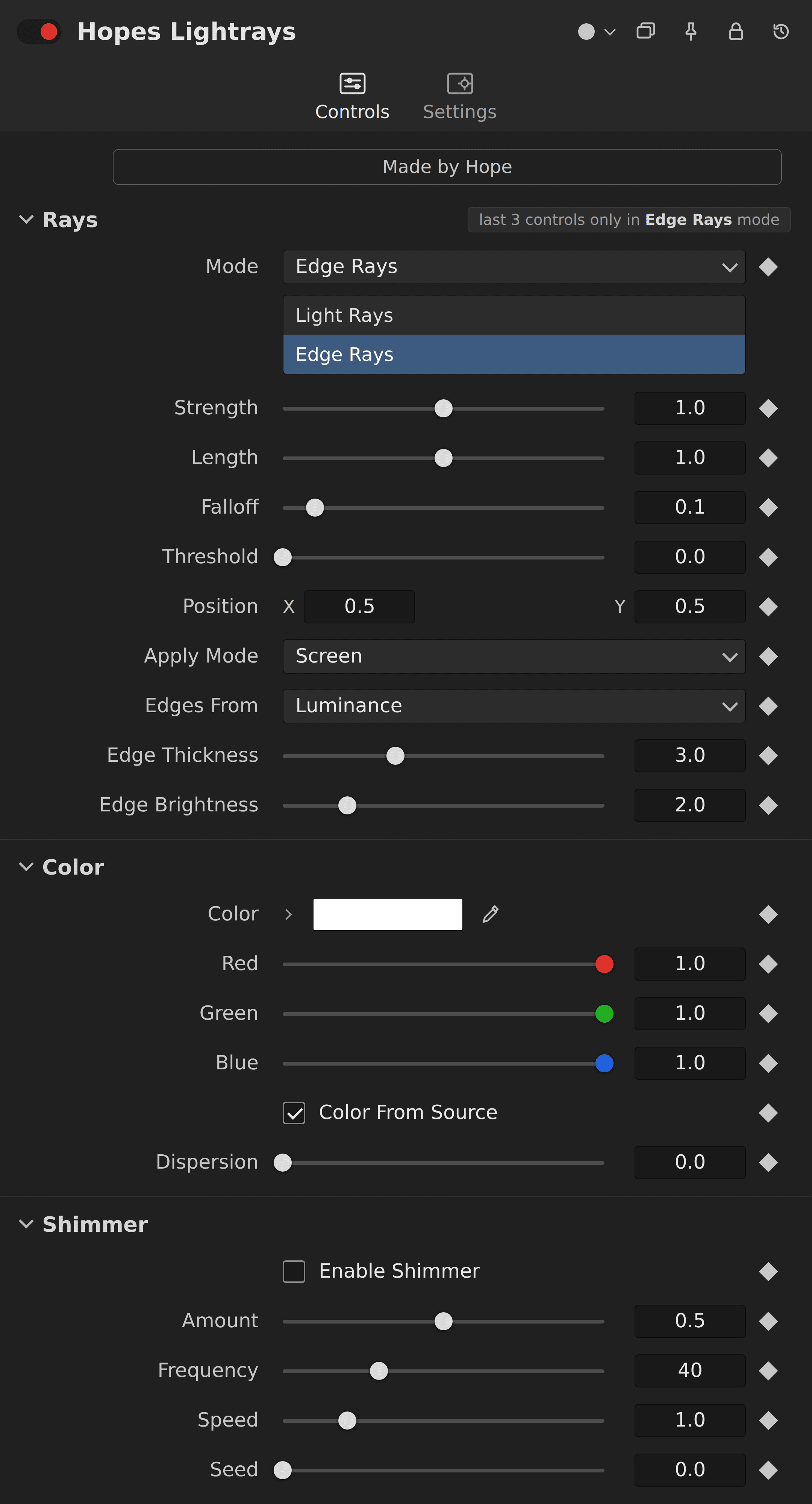
Hope's Lightrays

Hope's Lightrays

4.99 €

The best lightrays for DaVinci Resolve. And you can even use them on images.

Available for:

Free and Studio Version

Example Video

What is this plugin for?

With this plugin, you can create realistic light rays that seamlessly enhance both images and text. It simulates natural light behavior, adding depth, atmosphere, and a cinematic glow to your visuals.

Whether you want subtle, soft rays or strong, dramatic beams, the plugin offers full control over intensity, direction, spread, and falloff—allowing you to match any style or mood.

Perfect for cinematic edits, logo reveals, text highlights, or atmospheric scenes, this plugin makes it easy to add professional-looking light rays that elevate the overall quality of your work.

Gallery

images of this plugin

No images provided
Connect CMS Image fields (Image 1–10)

How to install this plugin?

To install Fuse plugins in DaVinci Resolve, simply copy the .fuse file into the following directory:

Installation Path Windows: %AppData%\Blackmagic Design\DaVinci Resolve\Support\Fusion\Fuses

macOS: ~/Library/Application Support/Blackmagic Design/DaVinci Resolve/Fusion/Fuses

Linux: ~/.local/share/DaVinciResolve/Fusion/Fuses

Quick Steps

  1. Paste the file into the folder above.

  2. Restart DaVinci Resolve.

  3. Find the tool in the Fusion page via the Tool Selection (Shift + Space).

Note: If the Fuses folder doesn't exist, manually create it.

© 2026 hopeedits copyright reserved

© 2026 hopeedits copyright reserved

© 2026 hopeedits copyright reserved